Converting Mellanox CX-3 to Ethernet mode
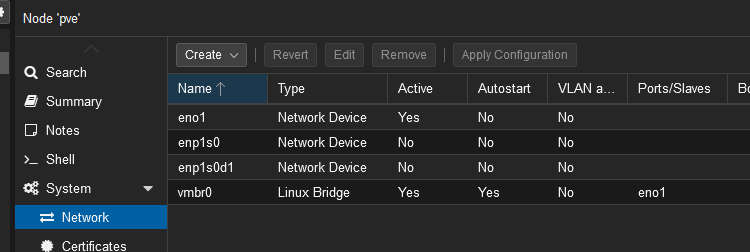
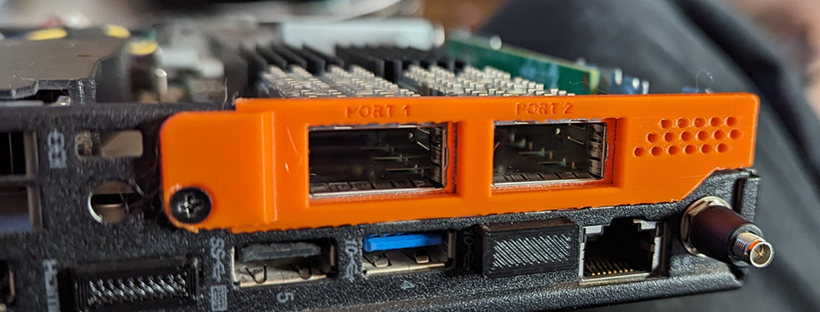
When first connecting the card to a machine, it more than likely will not show up in the network area as it's more than likely in Infiniband mode, it will need to be changed to use ETH mode
This tutorial assumes you are using Proxmox VE 8 or greater

Connect to the Proxmox shell and create a temp folder for all the tools and firmware we will download
|
mkdir temp cd temp |
Install the needed packages for the firmware tool
| apt update && apt install gcc make dkms proxmox-headers-$(uname -r) |
Download the 4.22.1-417-LTS - Linux - DEB - x64 firmware tools:
| wget https://www.mellanox.com/downloads/MFT/mft-4.22.1-417-x86_64-deb.tgz |
Extract the file
| tar -xvzf ./mft-4.22.1-417-x86_64-deb.tgz |
Change the directory to the newly extracted folder
| cd mft-4.22.1-417-x86_64-deb |
Change the shell script to be executable
| chmod +x ./install.sh |
Run the install script
| ./install.sh |
Start the mst service
| mst start |
Now run the command to show the status of connected MST devices, this is to confirm the system sees the card
| mst status |

Run the following command to change the device to ETH mode (Verify the /dev/mst/ address is matches what was listed in the last command)
| mlxconfig -d /dev/mst/mt4099_pciconf0 set LINK_TYPE_P1=2 LINK_TYPE_P2=2 |
Confirm the config change

Reboot the system
You should now have both ports listed in networking!